Economic Calendar
The Economic Calendar displays scheduled economic events, indicators and releases that may influence the markets. It helps traders stay informed about upcoming news and their potential impact.
Opening the Economic Calendar
The Economic Calendar panel can be opened from 3 different places in JForex4:
- Left side bar — click the corresponding Economic Calendar icon.
- Main menu → News — select the Economic Calendar section.
- Main menu → View — enable the Economic Calendar panel from the list of available panels.
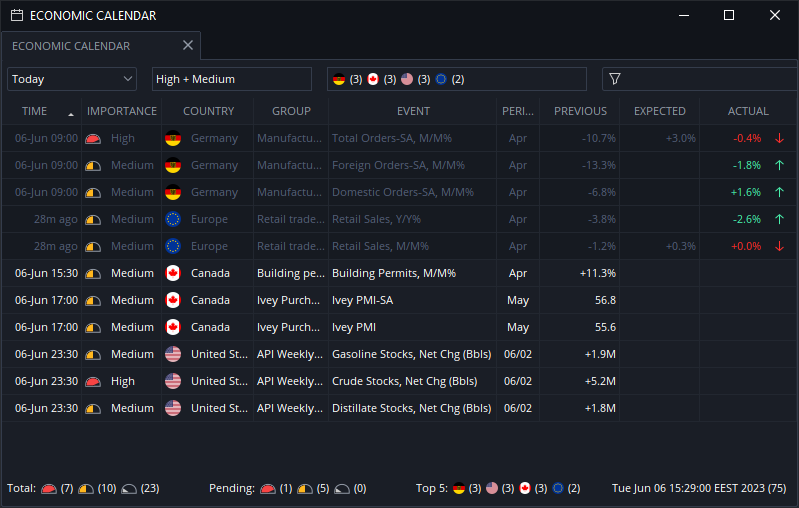
The top of the events by countries is shown in the status bar. Each value can be clicked there to filter the events of one particular country.
Notifications
Economic events of high importance are shown in the corner of the platform, when released.
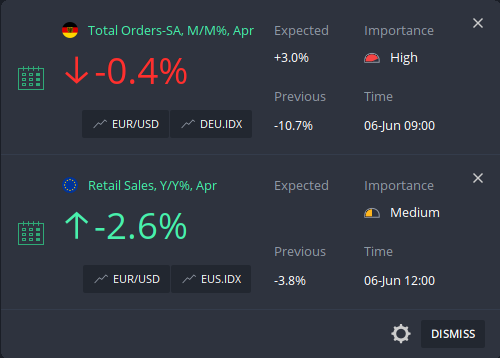
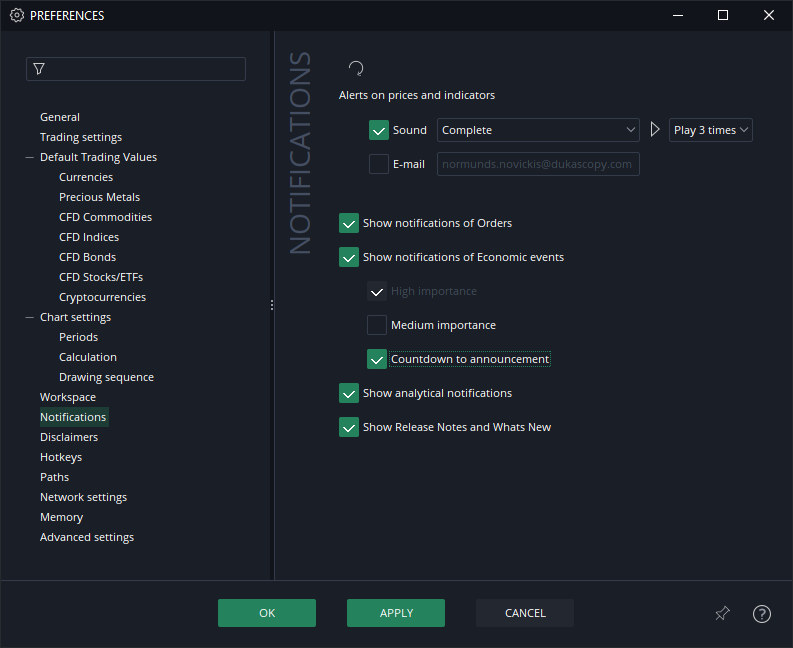
The display of notifications of the events of medium importance can also be enabled in Preferences/Notifications section.
Countdown to release
If the countdown is enabled, a pop-up notification will be shown 1 minute before the event release time. It is disabled by default.
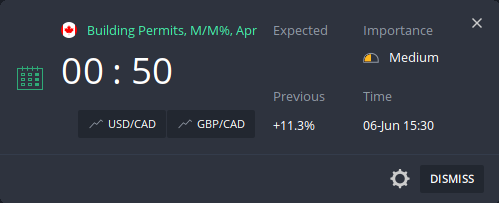
If the time of the release has come, but the value of the event is not published within 2 minutes, the notification pop-up will disappear.
Settings
- Notifications
- Notifications of the events of medium importance
- Countdown
can be disabled in Notifications section of the Preferences.