Preis-Alarm
---- DEUTSCHE VERSION -----
The price alerter, as the name implies, allows you to set a a price alert. Once a particular price condition is met, a pop up message appears or an alarm sound is played.
How to open the price alerter?
- Go to the menu bar (LINK) in the top left corner of your trading platform.
- Click on View.
- Click on Price Alerter.
- You should now see the Price Alerter tab.
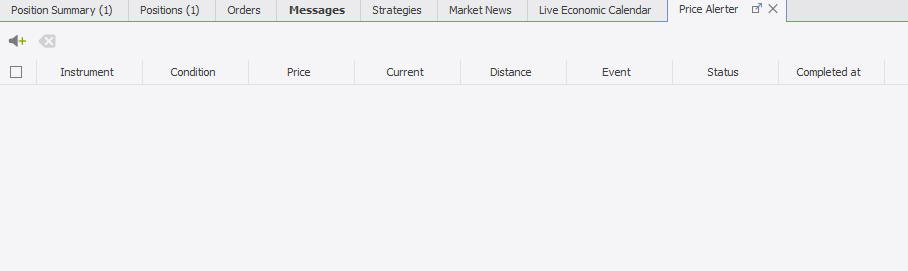
How to set/edit a price alert?
-
In the price alerter tab, click on this little icon to add a new alert.

-
Once an alert has been added, double-click the settings to modify them. You can set:
Instrument - the trading instrument
Condition - BID <, BID >, ASK > or ASK <
Price - the price condition
Event - Pop-up or sound alarm
Status - Active or Intactive
Current, Distance and Completed at are displayed for informative purposes only and cannot be changed.
-
Do not forget to set the Status to active.
You can change the settings anytime. Once an alert has been triggered, its status is changed to inactive and Completed at shows the time it had been triggered.
How to delete an alarm?
There are two different ways to delete an alert.
- Simply click on the red X in the last column of the alert you would like to delete.
-
Alternatively, select the alert row and click on the delete icon.

Alerts are deleted instantly. There are no additional confirmation windows.